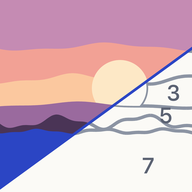
Numera: Paint by Numbers
Color by Number from Photos
Pick a photo of your pet, a trip or your family. Paint it by numbers on screen, or print it and use real paints. Made on your iPhone or iPad. No ads, nothing uploaded.
Frequently asked questions
How do I make my first picture?
Tap the Create tab (or + in My pictures). Pick a photo from your library, take one with the camera, or choose a sample. Numera develops the picture on your device in a few seconds. Then choose how many colors and a style, and tap Create picture.
How do I print a picture?
You can print any picture, painted or not. Paint the printout with real paints, paint on screen, or do both. In your library, touch and hold a picture (or tap ••• on the Painting now card) and choose Print at home. While painting, tap the picture's name at the top of the screen and choose Print at home. On the Finish screen, tap Print at home (PDF) or Canvas file. Choose A4, A3, Letter or the 40×50 cm canvas, pick PDF, PNG or SVG, and turn outlines, numbers and the faint photo underlay on or off. Then share the file or print with AirPrint. Numera doesn't print or ship canvases: the canvas file is for any print shop you choose.
Are my photos uploaded? How do I delete my data?
No. Pictures are made on your device and stay in the app's storage. There is no account, no ads, no analytics and no tracking. To delete one picture, touch and hold it in your library and choose Delete. To delete everything, go to Profile → Delete all pictures. Deleting the app removes everything too.
Does Numera work on iPad?
Yes, it's one app for iPhone and iPad. On iPad in landscape, screens use two columns, and you can double-tap or squeeze Apple Pencil to undo or use keyboard shortcuts. Pictures are kept on each device separately; there is no cloud sync.
Which languages does Numera speak?
English, Spanish, German, French, Portuguese (Brazil), Japanese and Russian. Numera follows your device language. To change it for Numera only, open Settings → Apps → Numera → Language.
How can I contact you?
Email danvil52@gmail.com. Tell us your device and iOS version, and attach a screenshot if something looks wrong.
Contact
Questions, ideas or a problem? Write to danvil52@gmail.com